Role: Product Design Lead (Design Operations & Behavioral Design)
Platform: Cross-Platform SaaS (iOS, Android, Windows)
User Personas: Dual-User (Pre-K Students & Teachers)
Tools: Adobe Creative Cloud, Jira, Confluence
Innovations: Developed a "bite-sized" game loop and a narrative-driven reward system that eliminated legacy engagement challenges.
Strategic Outcome: Led the design effort of the company’s flagship SaaS product, scaling from a 9-game MVP to a 900+ game library, contributing to $25M+ in revenue, and established the design foundation for the four-product ecosystem.
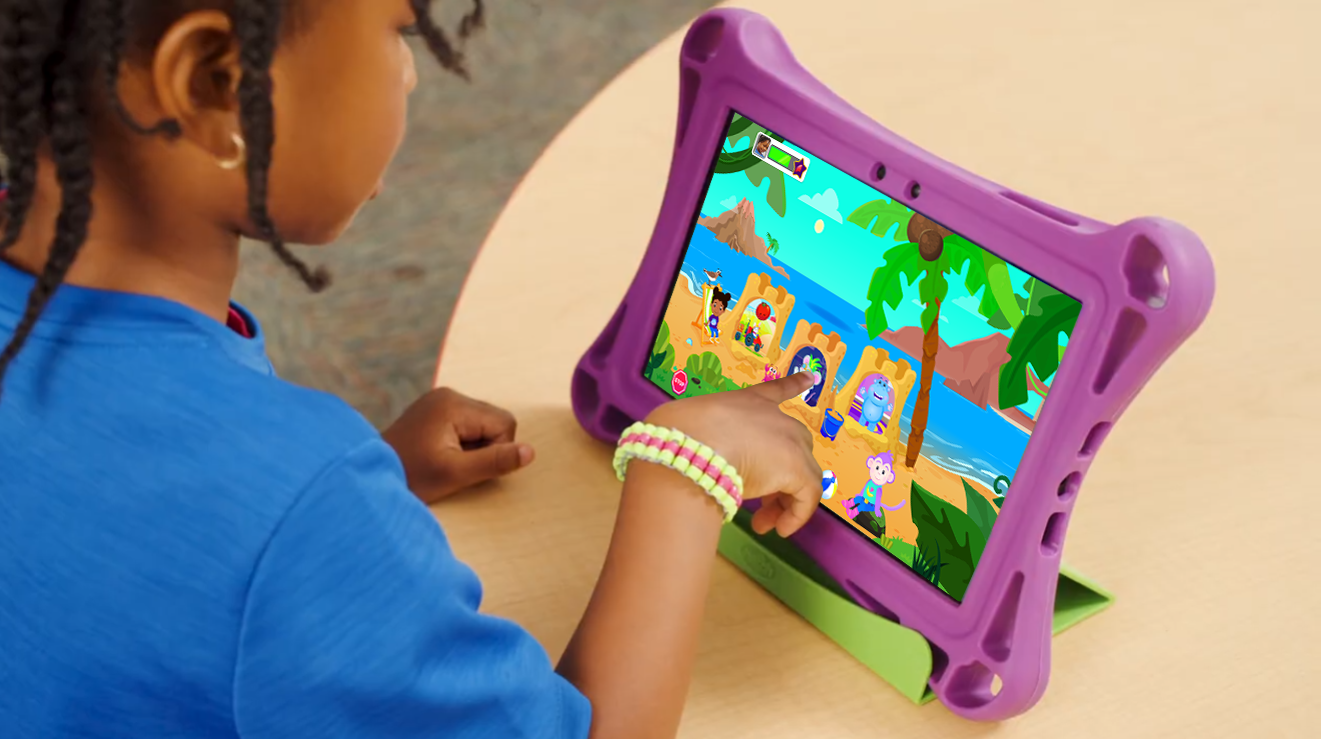
The Challenge: Rescuing Engagement
The legacy product had significant retention issues: games were too repetitive, included long periods when the child couldn't interact with the screen, and featured a shallow reward system that failed to motivate early learners throughout the school year. Under an aggressive 6-month timeline to launch a replacement product, I was tasked with reimagining the student experience and the teacher reporting suite from the ground up.
The Goal: Create a highly engaging independent play experience for pre-literate children that captured actionable data for teachers, while building a scalable production pipeline to grow the library by 3–5 games per week post-launch.
Child Engagement Loop
Bite-Size Gameplay: To address the "passive listening" frustration, I built a bite-sized play loop designed for preschoolers' attention spans. After consulting our subject-matter experts, I shortened game lengths. I reduced the number of questions per game and specified that audio clips and animations should be interruptible once the game had provided the child with enough information to answer. I used "just-in-time" instruction to support children as needed, rather than providing all instruction up front. This allowed children to feel constant progress at their own pace.
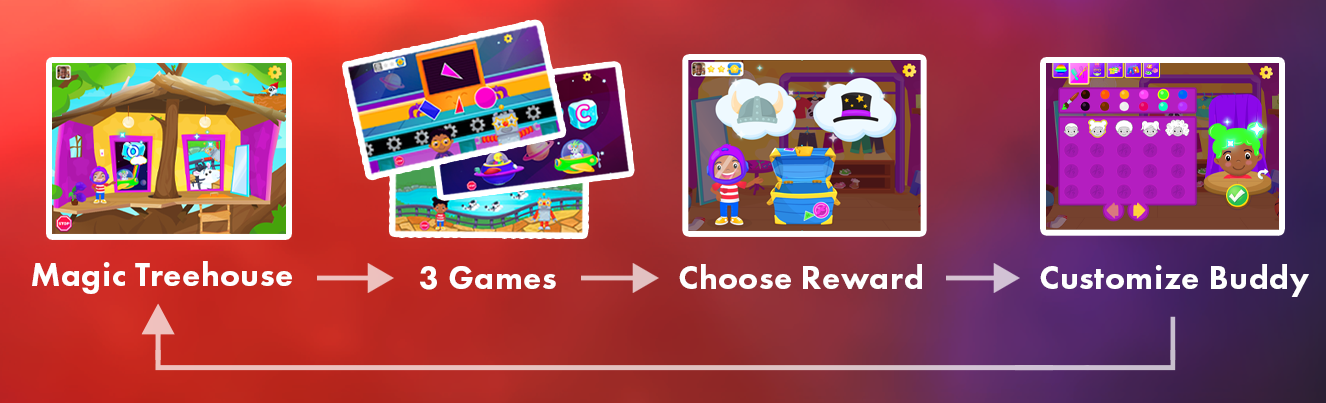
The "Buddy" System: I introduced an avatar system that allowed children to customize a Buddy on their first login. This buddy cheered them on throughout their Ignite experience and was tied to the overarching reward system that allowed them to earn new buddy customizations through play. I designed the Buddy customization interface to be as simple as possible for our users, some of whom were as young as 3. Tapping options automatically updated their buddy, and pressing the green check button saved their choices. Audio prompts and animations were there for support.
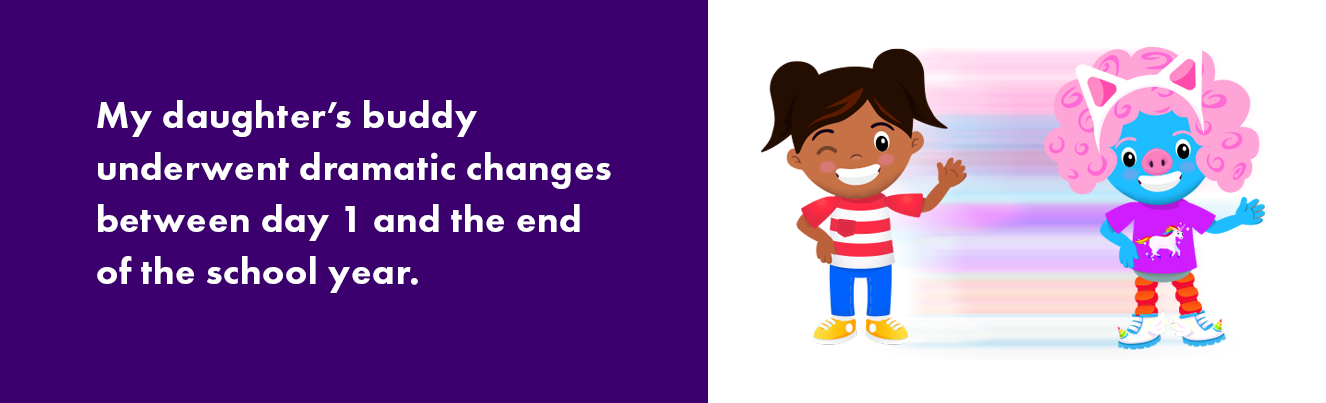
Gameplay Loop: I designed a game-select area, the Magic Treehouse, that served as the hub of the product's gameplay loop. Children would complete a set of three games, earning a star for each, which would appear in their game-set tracker to remind them of their progress. After three games, they would earn a Buddy reward and then visit the Dressing Room to customize their Buddy. They would then return to the Treehouse to choose their next adventure through Magical Doors powered by a pedagogical algorithm.
Data-Driven Teacher Tools
A product’s value in the classroom is only as good as its reporting and the time it saves educators.
Teacher Panel: In the app, I designed a dashboard that automatically sorted students by weekly playtime, placing those who needed more time to play first.
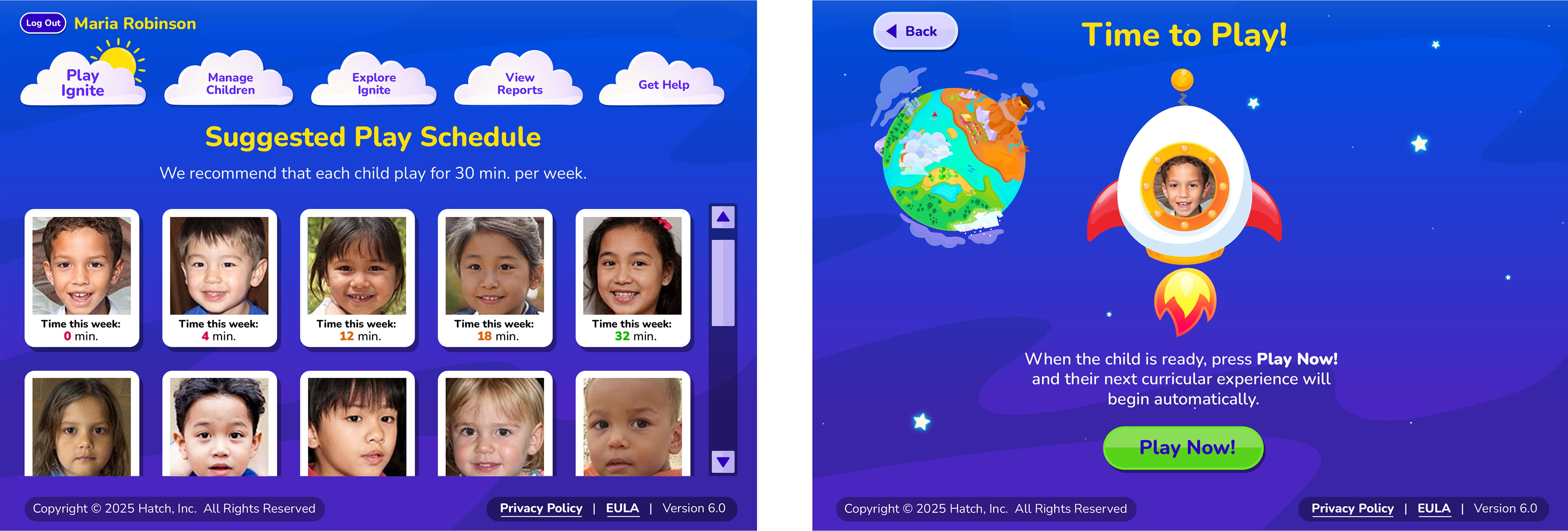
Modernization: Collaborating with my VP, I redesigned the reporting website to deliver actionable insights, surpassing simple data visualization. I personally executed the HTML/CSS redesign of the reporting site to ensure it was mobile-friendly and satisfied modern SaaS aesthetic standards for launch.
Instructional Grouping: I designed a feature that grouped students who struggled with the same skills and automatically suggested hands-on activities for the teacher to lead in the classroom.
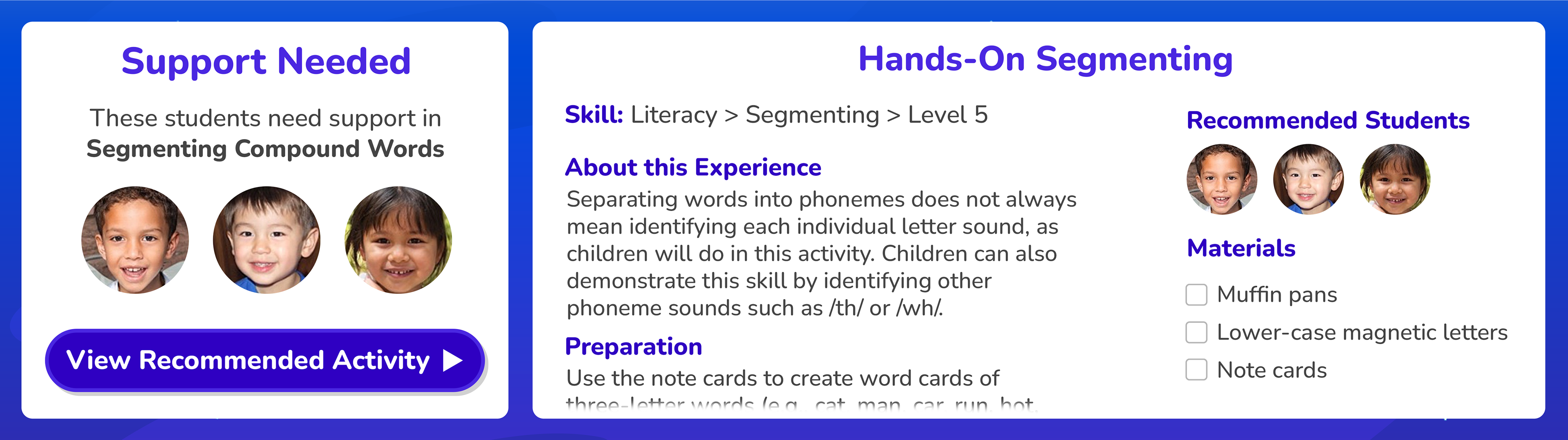
Instructional Grouping: (Left) A panel shows children struggling with the same skill; (Right) A hands-on group activity is recommended to help these children.
Retrofitting for Accessibility
One of the biggest mistakes I made in designing the product was not baking accessibility features into it from day one. As the product matured from an MVP into a fully built-out ecosystem, the Product Owner and I started an initiative to ensure Ignite was accessible to all learners.
Closed Captioning: We oversaw the addition of closed captioning across the 900-game library to support children with hearing loss and early readers.
Keyboard Support: I led the design and UX effort to integrate keyboard functionality. I wrote specifications in Jira for the entire game library, defining a consistent navigation model that helps children with motor impairments play with full agency.
Sensory Management: To support neurodivergent learners and children with sensory processing sensitivities, we implemented independent volume controls. This allowed users to lower background music and sound effects while keeping instructional audio clear. We also added an optional black overlay behind the important game elements to reduce visual distractions and sensory overload.
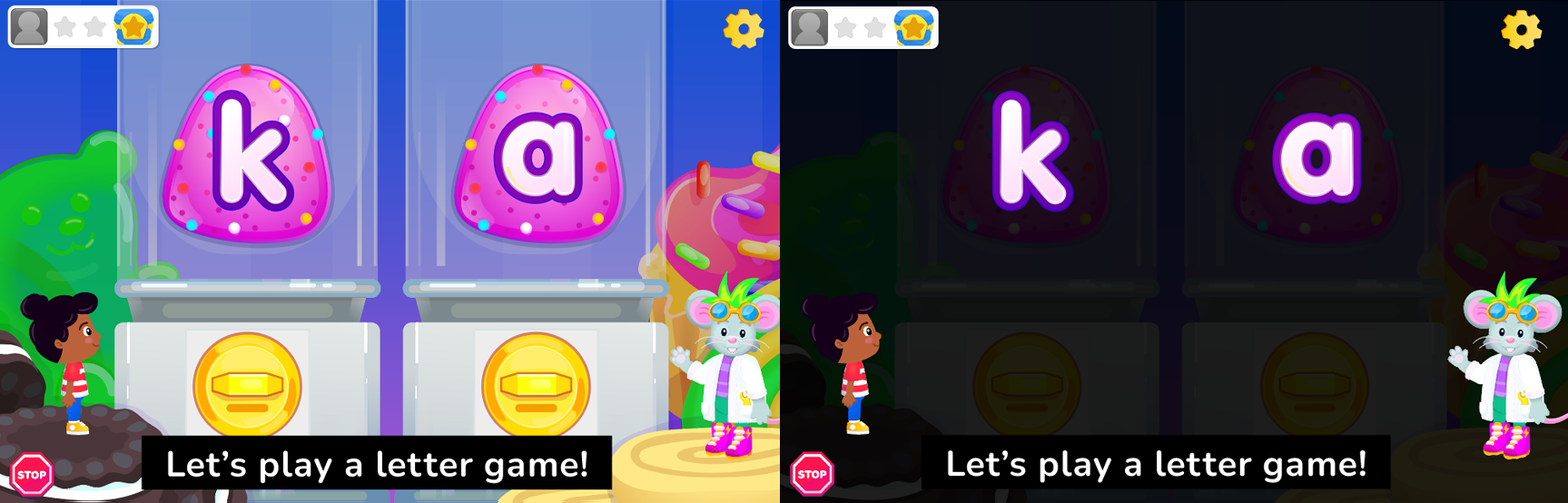
Accessibility Features: (Both) Closed captioning; (Right) An optional black overlay helps children focus on the game's key visual elements.
Design Ops: Scaling to 900+ Games
Jira-Centric Specifications: I advocated for replacing static PDF Game Design Documents with User Stories in Jira. This established a single source of truth for offshore developers and animators, creating transparency and a consistent process across the 900+ game library.
Operational Velocity: I increased production speed by 30% by creating a high-efficiency Jira workflow. I implemented automated status-based routing and developed standardized ticket templates for core game types, drastically reducing documentation time. I also established a centralized Adobe Creative Cloud asset library, streamlining asset sharing and helping maintain a consistent art style across the design team.
Full-Spectrum Execution: During the initial MVP phase, I served as the primary content creator, conceptualizing and illustrating the five characters Ignite launched with, along with the first 210 games, to meet an aggressive six-month launch window. As the product's success grew, I transitioned into a leadership role, hiring and managing a team of illustrators to improve illustration quality and scale our game library to 900+ games (1,800+ including Spanish-language versions).
With this production engine in place, I shifted my focus to high-level product optimization and long-term user retention strategies.
Solving the End-of-Year Slump
After the product had been in the market for four years, data showed a dip in engagement toward the end of the school year. Now that I was leading a team of two designers, we worked with the Product Owner to develop a long-term narrative expansion to sustain engagement throughout the school year.
The Narrative Arc (Zone Progression): We invented a story where a character’s rocket crashes near the Treehouse. Children play games to eventually fix the rocket and fly to a STEM-focused character's rocket workshop on the moon. This was a tie-in to the multitouch table product within the same ecosystem (See Case Study: Anthropometric UX for more).
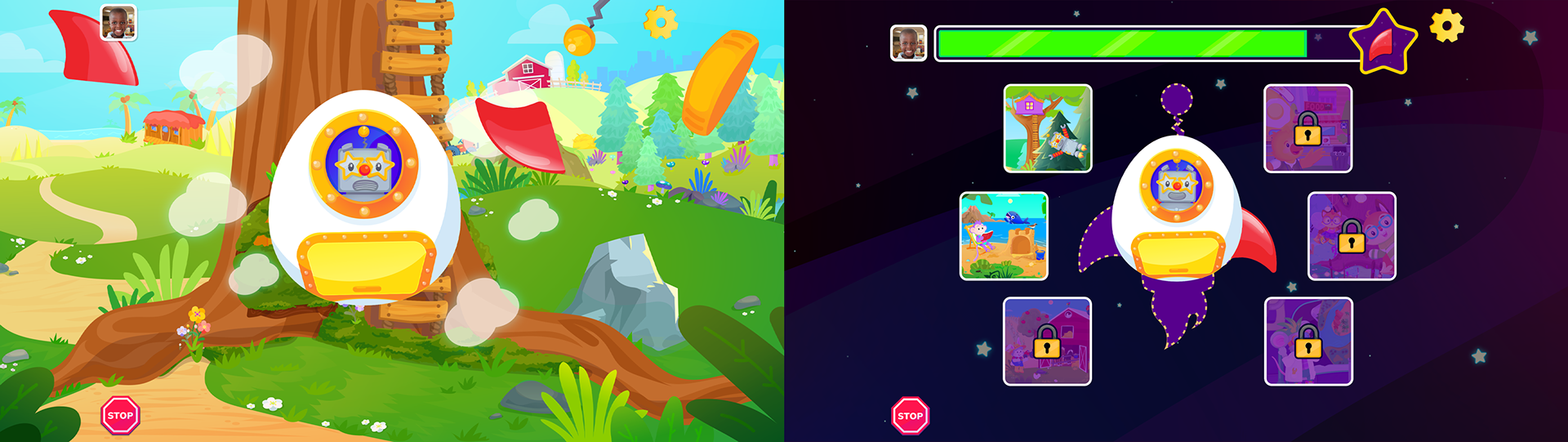
Narrative Arc & Zone Progression: (Left) Rocket malfunctions, sending parts flying to different zones; (Right) The Zone Map, where children can select zones they've unlocked and see progress toward the next rocket part/zone.
Unlocking New Zones: As the progress meter filled, children located missing rocket parts and unlocked five entirely new interactive zones (Beach Hideout, Magic Forest, Rocket Workshop, and more).
Increased Agency: While the initial Treehouse offered two game choices, the new zones offered progressively more, rewarding long-term players with greater variety.
Outcome: By timing the final zone unlock to a progression state that most children had reached near the end of the school year (based on 4 years of child-play data), we intend to address the end-of-year dip in play sessions. This feature launched for the 2025-2026 school year, so we don't have the numbers yet.The Impact
Flagship Performance: Since its launch, the product has generated an average of $8M in annual revenue, making it the company’s most successful offering.
Operational Velocity: Established a production engine that successfully delivered over 900 games (English and Spanish) over five years.
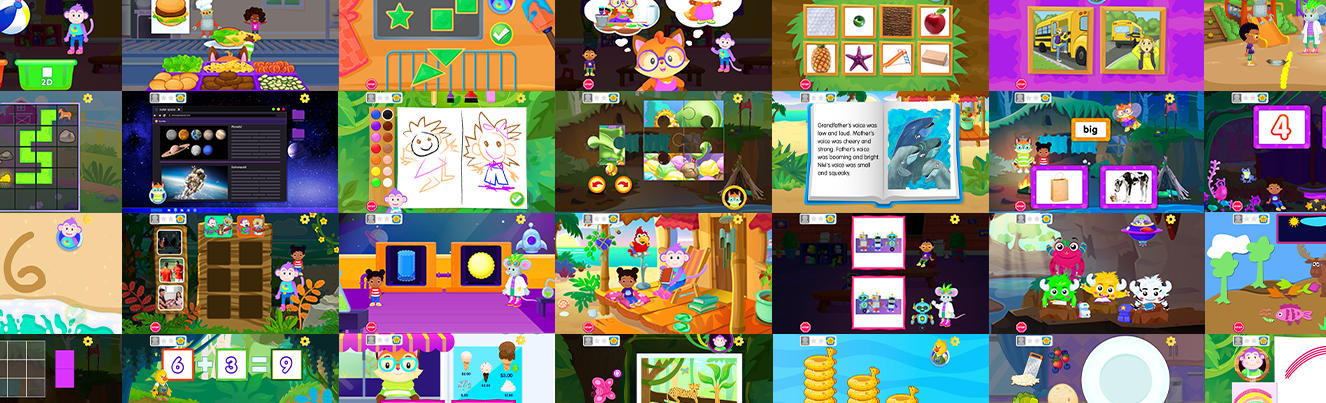
Ecosystem Foundation: The characters, avatar customization logic, three-game set gameplay loop, and UI elements, such as the green check button I created for this product, became the standards for the company's multitouch table product (See Case Study: Anthropometric UX), forming a consistent experience across the ecosystem.
Reflections
Artist to Director: This project represented my most significant professional pivot. I learned that in the EdTech space, the most beautiful game or UI will fail if the experience isn't designed for a child’s attention span. By removing passive elements from the legacy product and designing bite-sized games in a play loop that gives children agency, we turned a struggling tool into a $25M+ revenue generator.
Inclusive Design: While the initial launch focused on engagement and getting something (ANYTHING) out the door, the omission of accessibility features provided a humbling lesson. When I started the project, I didn't give accessibility the weight that it deserves. Now it's a central principle of my design philosophy, and not just because retrofitting features like keyboard navigation and closed captioning into a library of 900+ games was a massive effort and expense, but because inclusive design is better design. It's a fundamental requirement for a world-class product. I now advocate for these features to be baked in at the wireframe stage, making sure that everything we build is equitable by design, not by retrofit.